Build UI: Engineering Interfaces That Drive Results
Modern digital products live or die by their interfaces. When you build UI effectively, you create seamless experiences that convert visitors into customers, streamline complex workflows, and establish brand credibility. Yet too many teams approach interface development as an afterthought, bolting design onto engineering or forcing developers to interpret creative mockups without proper systems. This disconnect leads to inconsistent experiences, bloated codebases, and products that fail to meet market expectations. The solution lies in treating UI development as a strategic engineering discipline that bridges design thinking with technical execution.
The Foundation of Modern UI Development
Building interfaces in 2026 requires understanding the full spectrum of technologies, methodologies, and user expectations that define contemporary product development. The landscape has evolved far beyond simple HTML and CSS implementations.
Modern UI development encompasses:
- Component-based architectures using React, Vue, or Svelte
- Design system integration and token management
- Accessibility compliance and WCAG 2.1 standards
- Responsive layouts across devices and screen sizes
- Performance optimization for Core Web Vitals
- State management and data flow patterns
When teams build UI without considering these foundational elements, they create technical debt that compounds over time. A dashboard built without proper component architecture becomes impossible to maintain. An e-commerce interface that ignores accessibility excludes significant user segments. Payment rails that lack responsive design frustrate mobile users.
Understanding Component Architecture
The shift to component-based development has fundamentally changed how engineers build UI systems. Rather than creating monolithic page templates, modern teams construct reusable building blocks that combine into complex interfaces.
Each component serves as a self-contained unit with defined inputs, outputs, and behaviors. A button component, for instance, handles its own state, styling variations, loading indicators, and click events. This encapsulation allows teams to develop and test UI components in isolation, ensuring consistency across the entire product.
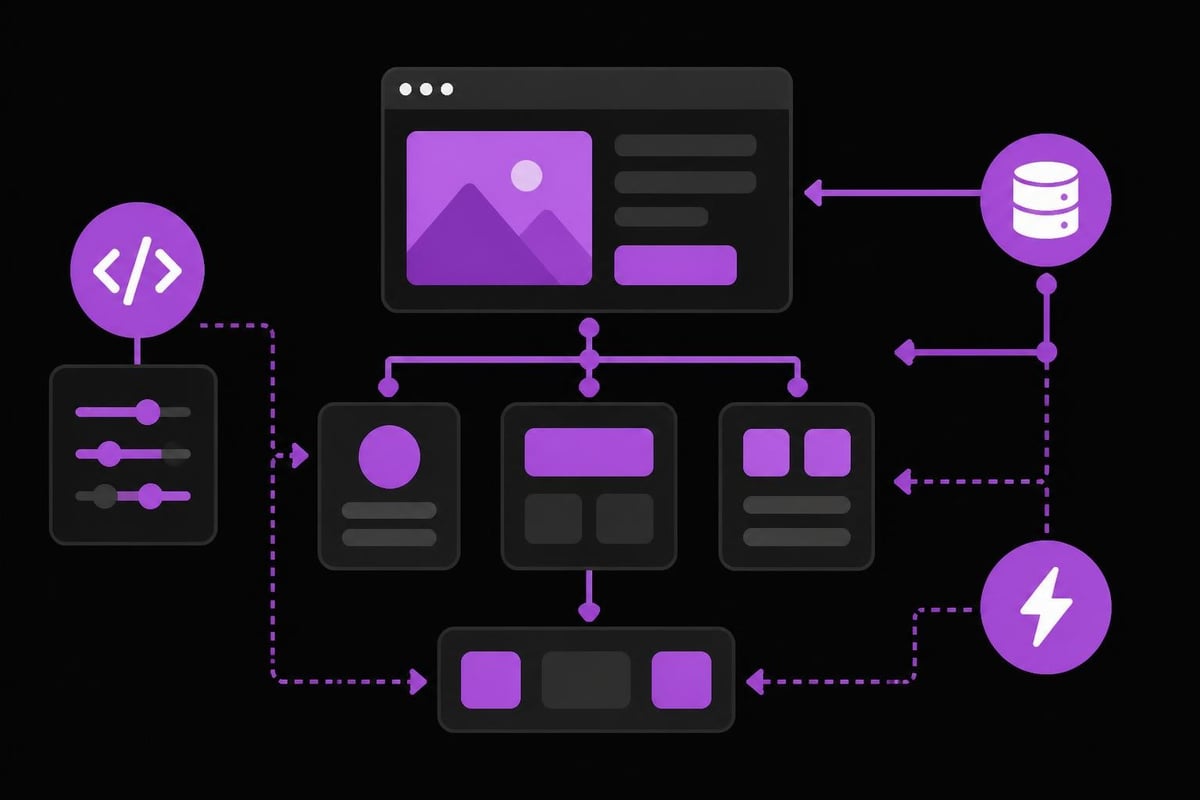
The value becomes clear when scaling products. Teams working on fintech platforms can reuse transaction components across dashboard views, mobile apps, and administrative tools. Game developers can standardize inventory UI elements that appear throughout the player experience. This consistency accelerates development while reducing bugs.
| Architecture Type | Best For | Scalability | Learning Curve |
|---|---|---|---|
| Component-Based | Complex applications | High | Moderate |
| Utility-First | Rapid prototyping | Medium | Low |
| Atomic Design | Design systems | Very High | High |
| Modular CSS | Traditional sites | Medium | Low |
Strategic Planning Before Development
The most successful UI projects begin long before writing code. Strategic planning defines the constraints, requirements, and success metrics that guide every subsequent decision.
Start by mapping user journeys and identifying critical interaction points. For a smart contract platform, these might include wallet connection, transaction signing, and status monitoring. Each touchpoint requires specific UI considerations around security feedback, error handling, and confirmation patterns.
Planning checklist for UI projects:
- Define target users and their technical proficiency
- Establish performance budgets and loading targets
- Document accessibility requirements and compliance needs
- Create content inventory and information architecture
- Specify supported devices, browsers, and screen sizes
- Determine integration points with existing systems
- Set design system parameters and visual language
Teams that skip this planning phase inevitably encounter expensive pivots mid-development. Understanding UX best practices during the planning stage prevents costly redesigns later.
Design System Integration
Design systems represent the connective tissue between design and development. When you build UI with a robust design system, you ensure visual consistency, accelerate development velocity, and reduce maintenance overhead.
A comprehensive design system includes color tokens, typography scales, spacing units, component libraries, interaction patterns, and usage guidelines. These elements create a shared language between designers and engineers, eliminating ambiguity and reducing implementation time.
For product engineering firms working across multiple client projects, design systems become force multipliers. The button variants, form patterns, and navigation structures developed for one fintech dashboard can accelerate the next payment platform. This systematic approach to UI engineering transforms development from craft to manufacturing.
Technical Implementation Strategies
Moving from planning to implementation requires selecting the right technical stack and establishing development workflows that support both velocity and quality.
Modern frameworks offer different tradeoffs between performance, developer experience, and ecosystem maturity. React provides the largest community and component library ecosystem. Vue offers gentler learning curves and excellent documentation. Svelte compiles away framework overhead for smaller bundle sizes.
Framework selection criteria:
- Team expertise and hiring considerations
- Performance requirements and bundle size constraints
- Available component libraries and tooling
- Server-side rendering and SEO needs
- Long-term maintenance and upgrade paths
Beyond framework choice, implementation success depends on establishing clear patterns for state management, API integration, error handling, and loading states. These patterns become particularly critical when building complex applications like trading dashboards or AI-powered tools where data flows through multiple layers.
Performance Optimization Techniques
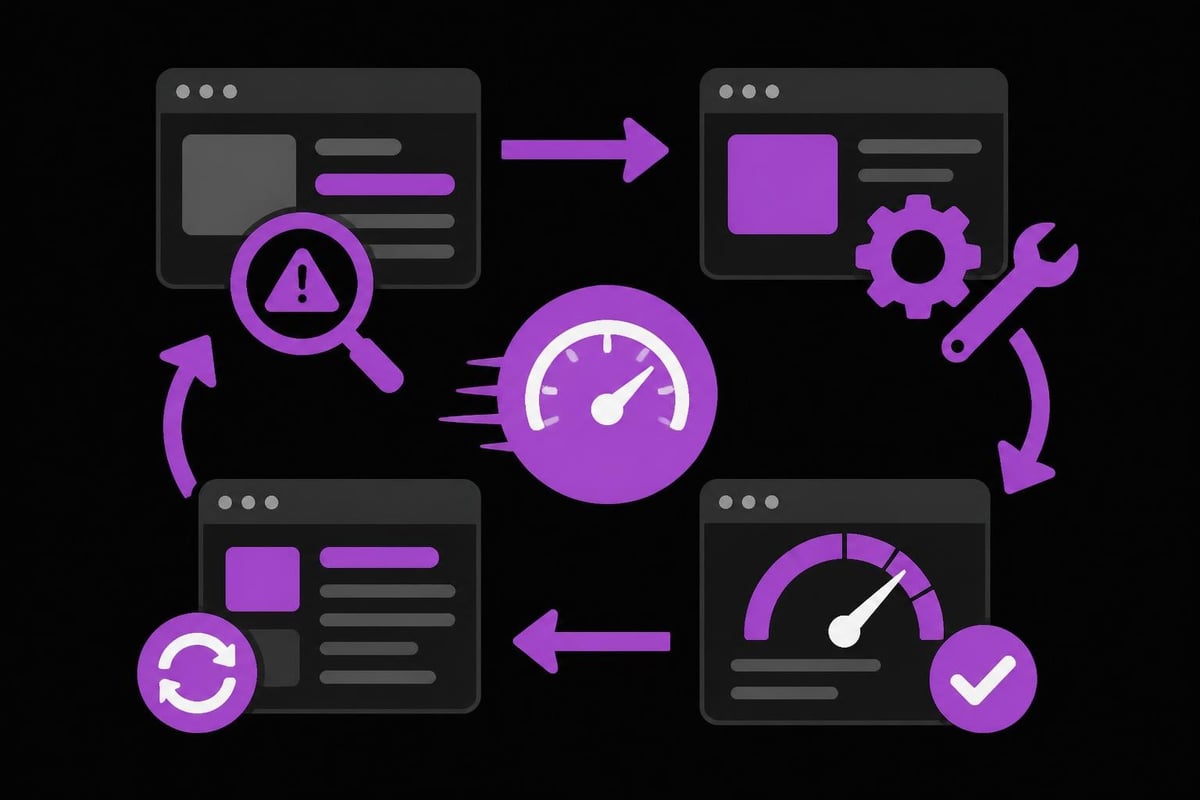
Users expect interfaces to load instantly and respond immediately to interactions. When you build UI without performance considerations, you create frustrating experiences that drive users away.
Core performance strategies:
- Code splitting to reduce initial bundle size
- Lazy loading for below-fold content
- Image optimization with modern formats
- Prefetching for anticipated navigation
- Caching strategies for static assets
- Database query optimization for dynamic content
The design of web interfaces must account for network variability, device capabilities, and user context. A payment interface loading on a mobile device over 3G requires different optimization strategies than a desktop dashboard on corporate fiber.
Measuring performance requires tracking metrics beyond simple page load times. Core Web Vitals provide Google-endorsed benchmarks: Largest Contentful Paint (LCP) under 2.5 seconds, First Input Delay (FID) under 100 milliseconds, and Cumulative Layout Shift (CLS) under 0.1.
Advanced UI Patterns for Complex Products
Simple marketing websites require straightforward UI implementations. Complex products demand sophisticated patterns that handle intricate workflows, large datasets, and specialized interactions.
Data-Heavy Interfaces
Dashboards, analytics platforms, and administrative tools present unique challenges when displaying large volumes of information. Virtualization techniques render only visible rows in long lists, dramatically improving performance. Server-side pagination offloads processing to the backend. Skeleton screens provide instant feedback while data loads.
When building trading interfaces or monitoring dashboards, consider how users scan information. Progressive disclosure reveals complexity only when needed. Filtering and search capabilities help users find relevant data. Customizable layouts allow power users to optimize their workflows.
The principles that guide how teams design trading dashboard interfaces apply broadly to any data-intensive application. Clarity trumps decoration. Speed matters more than beauty. Consistency reduces cognitive load.
| Pattern Type | Use Case | Implementation Complexity | Performance Impact |
|---|---|---|---|
| Virtualization | Long lists, tables | High | Excellent |
| Infinite Scroll | Social feeds, content | Medium | Good |
| Pagination | Search results | Low | Excellent |
| Load More | Product listings | Low | Good |
Real-Time Updates and WebSockets
Modern applications increasingly require real-time updates. Gaming platforms need instant state synchronization. Payment systems must reflect transaction status immediately. Collaboration tools depend on live updates across users.
WebSocket connections enable bidirectional communication between client and server. When you build UI with real-time requirements, carefully consider connection management, reconnection logic, and optimistic updates that provide instant feedback before server confirmation.
State management becomes more complex with real-time data. Libraries like Redux or Zustand help coordinate updates across components. Optimistic UI patterns update the interface immediately while queuing backend synchronization, creating the illusion of instant responsiveness.
Accessibility and Inclusive Design
Building interfaces that serve all users isn't just ethical; it's a business imperative. Approximately 15% of the global population experiences some form of disability. Accessible interfaces expand market reach while often improving usability for everyone.
Accessibility fundamentals:
- Semantic HTML for screen reader compatibility
- Keyboard navigation for all interactive elements
- Sufficient color contrast for visual clarity
- Alt text for images and descriptive labels
- Focus indicators for keyboard users
- Error messages that explain resolution steps
- Captions and transcripts for multimedia content
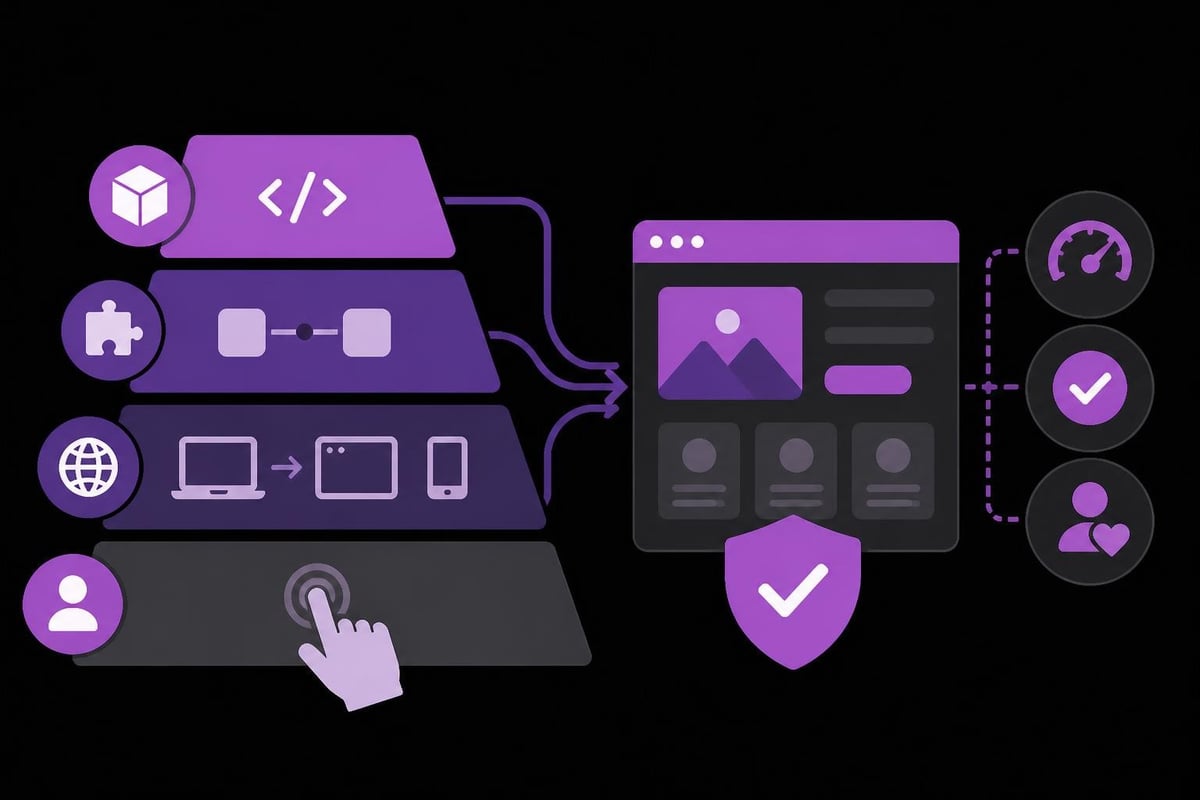
When teams build UI without accessibility considerations, they create barriers that exclude users and expose organizations to legal risk. The Web Content Accessibility Guidelines (WCAG) provide comprehensive standards, but practical implementation requires testing with actual assistive technologies.
Many accessibility improvements benefit all users. Clear error messages help everyone recover from mistakes. Keyboard shortcuts accelerate power user workflows. High contrast modes improve usability in bright sunlight. Thinking inclusively during product design phases prevents expensive retrofitting later.
Testing Across Devices and Contexts
Comprehensive testing validates that interfaces work across the fragmented landscape of devices, browsers, operating systems, and network conditions that users actually experience.
Testing strategy components:
- Automated unit tests for component logic
- Integration tests for workflows and user journeys
- Visual regression tests for design consistency
- Cross-browser compatibility verification
- Mobile device testing on actual hardware
- Screen reader and keyboard navigation audits
- Performance testing under various network conditions
The investment in testing infrastructure pays dividends through reduced bug reports, faster release cycles, and improved user satisfaction. Teams that treat testing as an afterthought spend more time fixing production issues than building new features.
Emerging Technologies and Future Directions
The interface landscape continues evolving as new technologies, interaction paradigms, and user expectations emerge. Teams that build UI systems with adaptability in mind position themselves to capitalize on these shifts.
AI-Enhanced Interfaces
Artificial intelligence is transforming how users interact with digital products. Predictive interfaces anticipate user needs based on behavioral patterns. Natural language inputs replace complex form fields. Computer vision enables document scanning and object recognition directly in web applications.
Recent research on prioritizing UI design principles in explainable AI systems highlights how interface design critically impacts user trust and comprehension when working with AI-powered features. When integrating AI capabilities, the UI must clearly communicate system confidence levels, explain recommendations, and provide override mechanisms.
For product engineering teams, this means building interfaces that balance automation with user control. A smart contract platform might suggest gas prices based on transaction urgency, but users need clear options to customize settings. AI-powered dashboards can surface insights automatically while allowing manual exploration.
Progressive Web Applications
PWAs blur the line between web and native applications, offering offline functionality, push notifications, and home screen installation through web technologies. When you build UI as a PWA, you extend reach across platforms without maintaining separate native codebases.
Service workers cache assets and API responses, enabling applications to function without connectivity. This capability proves essential for applications like payment systems that must operate reliably regardless of network conditions. Background sync queues actions performed offline for execution when connectivity returns.
The architectural patterns required for PWAs influence fundamental UI decisions. State management must account for offline scenarios. Error handling needs to distinguish network failures from application bugs. Loading states must indicate when displaying stale cached data.
Scaling UI Development Across Teams
As products grow, UI development transitions from individual work to coordinated team efforts. Scaling requires processes, tools, and standards that maintain consistency and quality across expanding codebases.
Design systems become critical infrastructure. Component libraries ensure visual consistency. Style guides document interaction patterns. Linting rules enforce code standards. These systems allow teams to parallelize development without creating fragmented experiences.
Documentation separates functional teams from dysfunctional ones. When components include clear usage examples, prop definitions, and behavioral specifications, any team member can implement interfaces correctly. Platforms that help teams understand UI design fundamentals and establish shared vocabulary accelerate onboarding and reduce miscommunication.
Scaling best practices:
- Establish code review processes for UI changes
- Maintain component libraries with version control
- Create automated visual regression testing
- Document design decisions and rationale
- Implement design token systems for theme management
- Conduct regular design-engineering sync meetings
- Build internal tools for component discovery
Organizations working with external teams, whether building SaaS MVPs or marketplace platforms, must establish clear handoff processes. Design specifications should include interaction details, edge cases, and responsive behavior. Engineering feedback should inform design feasibility.
Measuring UI Success
Building interfaces represents significant investment. Measuring outcomes validates that investment and guides continuous improvement.
Key performance indicators for UI projects:
- Conversion rates through critical flows
- Task completion rates and time on task
- Error rates and support ticket volume
- User satisfaction scores (NPS, CSAT)
- Page load times and Core Web Vitals
- Accessibility compliance scores
- Development velocity and cycle time
Quantitative metrics tell part of the story. Qualitative research through user interviews, usability testing, and session recordings reveals why metrics change. Users might complete a flow but find it frustrating. Conversion rates might improve while satisfaction scores decline.
Modern tools for assessing user interface design quality combine multiple signals to evaluate interfaces systematically. However, automated assessment can't replace observing real users attempting actual tasks. The combination of quantitative analytics and qualitative research provides comprehensive understanding.
Maintenance and Evolution
Launching an interface marks the beginning, not the end, of its lifecycle. Markets evolve. User expectations shift. Technologies advance. Successful products adapt continuously.
Technical debt accumulates when teams prioritize speed over sustainability. Components built for specific use cases get forced into unintended contexts. Workarounds pile up around framework limitations. Dependencies drift out of date. Regular refactoring prevents this degradation.
Plan for evolution during initial development. Build interfaces with extensibility in mind. Use design tokens that allow theme changes without touching components. Structure code to accommodate new features without massive rewrites. Document architectural decisions so future maintainers understand constraints.
The pattern applies whether teams build production dApps, internal tools, or crypto gaming platforms. Successful products require ongoing investment in maintenance, optimization, and enhancement.
Version control strategies balance stability with progress. Semantic versioning communicates breaking changes clearly. Feature flags allow gradual rollouts and easy rollbacks. Automated testing catches regressions before they reach production. These practices transform UI development from risky deployments to routine releases.
Building effective user interfaces requires combining design thinking, engineering discipline, and user empathy. The teams that excel treat UI development as a strategic capability rather than tactical execution, investing in systems that scale alongside their products. Whether you're creating payment platforms, gaming experiences, or AI-powered tools, the principles remain consistent: plan strategically, build systematically, test comprehensively, and iterate continuously. Absolute Foundry helps organizations worldwide build UI systems that drive business results, providing end-to-end product engineering services that transform concepts into market-ready digital products.