Product UX Design: Building Digital Products Users Love
Product UX design has evolved from a nice-to-have feature into a critical business differentiator. Companies building digital products today face increasingly sophisticated users who expect intuitive, delightful experiences across every touchpoint. Whether you're developing payment rails, smart contracts, gaming platforms, or AI-powered dashboards, understanding how users interact with your product determines success or failure. The discipline of product UX design combines research, strategy, and execution to create digital experiences that solve real user problems while advancing business objectives. For product engineering teams working on complex technical implementations, mastering UX principles transforms raw functionality into products users actually want to use.
Understanding Product UX Design Fundamentals
Product UX design encompasses the entire user journey, from initial discovery through ongoing engagement and retention. Unlike traditional graphic design, which focuses primarily on visual aesthetics, product UX design prioritizes usability, accessibility, and user satisfaction at every interaction point.
The foundation rests on user-centered design methodology, which places actual user needs and behaviors at the core of every decision. This approach requires continuous research, testing, and iteration rather than relying on assumptions about what users want.
Key elements that define effective product UX design include:
- Information architecture that organizes content logically
- Interaction design that creates intuitive user flows
- Visual design that supports usability and brand identity
- Accessibility features ensuring all users can engage with the product
- Performance optimization that eliminates friction
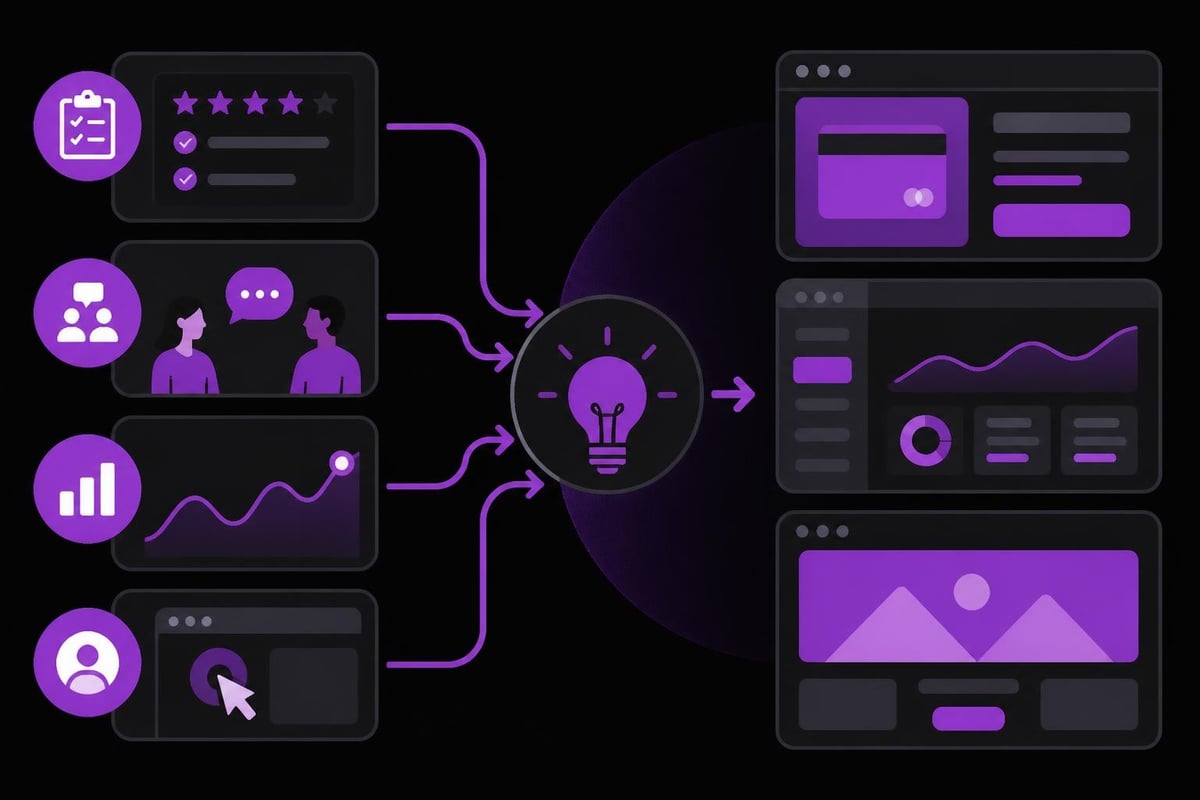
Research forms the backbone of informed design decisions. Teams that skip user research often build features nobody needs or interfaces that confuse their target audience. Quantitative data from analytics platforms reveals what users do, while qualitative research through interviews and usability testing uncovers why they behave in certain ways.
The Business Impact of Strategic UX Investment
Organizations that prioritize product UX design consistently outperform competitors across key metrics. Conversion rates improve when checkout flows eliminate unnecessary steps. Retention increases when dashboards surface the exact information users need. Support costs decrease when interfaces communicate clearly without requiring extensive documentation.
For companies building web applications or complex platforms, the initial investment in UX research and design pays dividends throughout the product lifecycle. A well-designed foundation reduces technical debt by establishing clear patterns and components that scale across features.
| Business Metric | Impact of Strong UX | Typical Improvement |
|---|---|---|
| Conversion Rate | Streamlined flows reduce abandonment | 200-400% increase |
| User Retention | Intuitive experiences encourage return visits | 50-150% increase |
| Support Tickets | Clear UI reduces confusion and errors | 30-60% decrease |
| Development Speed | Consistent patterns accelerate implementation | 25-40% faster |
The return on investment becomes particularly evident when launching new features. Teams with established design systems and UX frameworks can validate concepts quickly, iterate based on feedback, and ship confidently knowing the experience aligns with user expectations.
Core Principles Driving User-Centered Products
Following established UX design principles creates consistency and predictability that users appreciate. These principles aren't arbitrary rules but rather insights derived from decades of research into human cognition and behavior.
Consistency Across Experiences
Users develop mental models based on familiar patterns. When your product behaves consistently, users can transfer knowledge from one section to another without relearning interaction paradigms. This applies to visual consistency (buttons that look the same function the same), functional consistency (similar tasks follow similar workflows), and external consistency (leveraging patterns users know from other applications).
For product engineering teams, consistency means establishing and documenting design patterns early. Design systems codify these patterns into reusable components that ensure uniformity across features while accelerating development cycles.
Progressive Disclosure and Cognitive Load
Human working memory can only process a limited amount of information simultaneously. Effective product UX design respects this constraint by revealing complexity gradually rather than overwhelming users with all available options immediately.
Progressive disclosure strategies include:
- Showing essential actions prominently while hiding advanced features in menus
- Using expandable sections to organize detailed information
- Implementing multi-step workflows for complex tasks
- Providing contextual help only when users need it
This principle proves particularly valuable when designing trading dashboards or analytics platforms where users need access to extensive functionality without cluttering the primary workspace.
Feedback and System Status Visibility
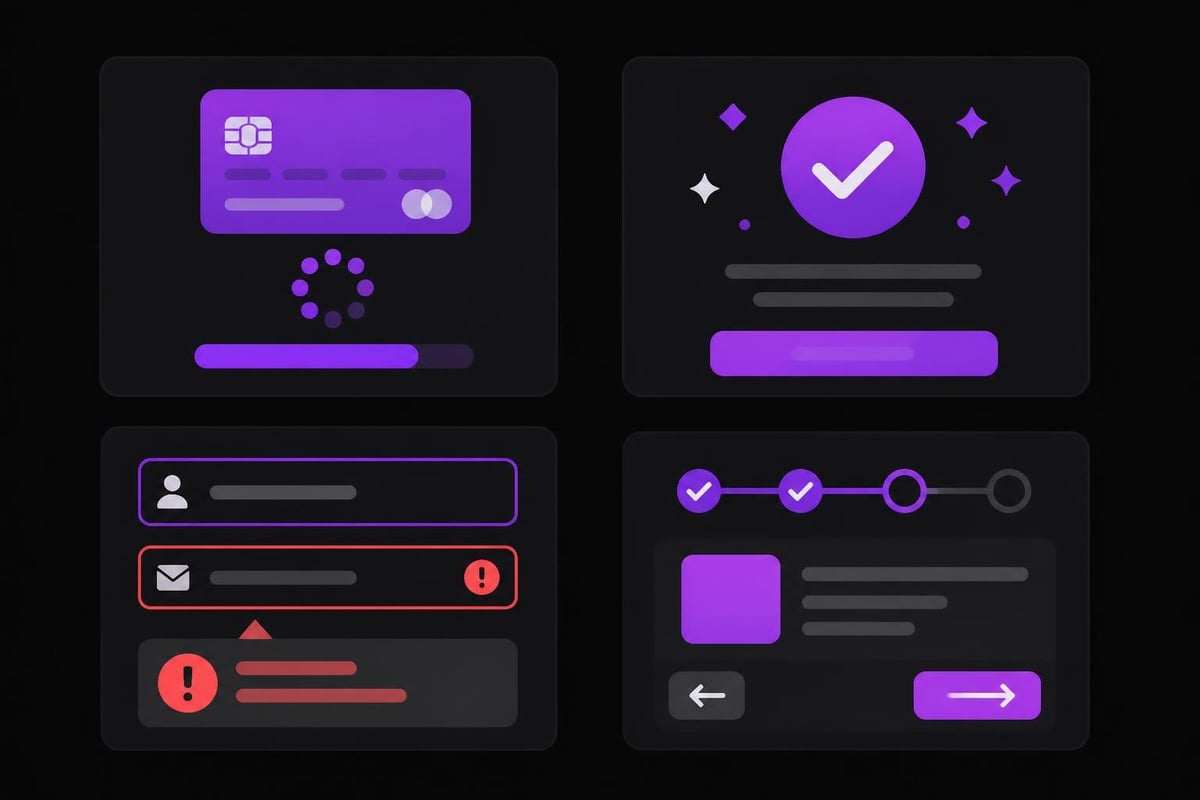
Users should never wonder whether their action succeeded or if the system is processing their request. Immediate, clear feedback reduces anxiety and builds trust in the product.
Loading states, progress indicators, success confirmations, and error messages all serve this principle. The specific implementation depends on context - a payment transaction requires more explicit confirmation than toggling a display preference, but both need some acknowledgment that the system registered the user's input.
Research-Driven Design Methodology
Product UX design succeeds when grounded in genuine user insights rather than designer preferences or stakeholder assumptions. The research phase identifies who your users are, what problems they face, and how they currently solve those problems.
Qualitative Research Approaches
User interviews reveal motivations, frustrations, and mental models that quantitative data cannot capture. Conducting 8-12 in-depth interviews with target users typically uncovers the majority of usability issues and opportunity areas.
Contextual inquiry takes this further by observing users in their natural environment. Watching a finance professional use your dashboard during actual work reveals workarounds, inefficiencies, and needs they might not articulate in an interview setting.
Usability testing validates design decisions by asking users to complete realistic tasks with prototypes or existing products. The insights from watching just five users attempt key workflows often expose the most critical issues blocking product adoption. Understanding UX best practices helps teams structure these testing sessions for maximum insight.
Quantitative Data Analysis
Analytics platforms track user behavior at scale, revealing patterns invisible in small-sample qualitative research. Metrics like task completion rates, time-on-task, error rates, and abandonment points provide objective measurements of UX quality.
Heatmaps and session recordings show where users click, how far they scroll, and where they hesitate. A/B testing quantifies the impact of specific design changes on conversion rates and engagement metrics.
Essential UX metrics to monitor:
- Task success rate (percentage of users completing key workflows)
- Time to completion (efficiency of core user journeys)
- Error rate (frequency of mistakes requiring correction)
- System Usability Scale score (standardized user satisfaction measurement)
- Net Promoter Score (likelihood users recommend the product)
Synthesizing Insights into Actionable Patterns
Raw research data requires synthesis before informing design decisions. User personas distill research findings into representative archetypes that help teams empathize with different user segments. Journey maps visualize the complete user experience, highlighting pain points and opportunities across touchpoints.
For teams building SaaS MVPs or new product categories, this synthesis phase prevents solving edge cases while ignoring core user needs. It also aligns stakeholders around shared understanding of who they're building for and what success looks like.
Interaction Design and Information Architecture
How users navigate through your product and find what they need determines whether they achieve their goals efficiently or abandon in frustration. Interaction design focuses on the mechanics of how users complete tasks, while information architecture establishes logical structure.
Creating Intuitive Navigation Systems
Navigation should answer three questions immediately: Where am I? Where can I go? How do I get there? For complex products with extensive functionality, this requires careful hierarchy and clear labeling.
Primary navigation handles major sections or user goals. Secondary navigation provides access to related features within a section. Contextual navigation appears based on current user state or selections. These layers work together to make extensive functionality discoverable without overwhelming the interface.
Breadcrumbs, clear page titles, and visual indicators of the current location all contribute to navigation clarity. Users should never feel lost or struggle to return to previously viewed content.
Designing Efficient User Flows
Every user goal translates into a flow - a sequence of steps from intention to completion. Effective flows minimize friction by removing unnecessary steps, reducing required inputs, and providing clear progress indicators.
Flow optimization techniques include:
- Defaulting to sensible values that users can override if needed
- Preserving user input when validation errors occur
- Allowing users to skip optional steps
- Auto-saving progress to prevent data loss
- Providing shortcuts for power users
When building marketplace platforms or multi-sided products, flows must accommodate different user types with potentially conflicting needs. Sellers need robust product management tools while buyers want streamlined purchasing. The UX challenge lies in serving both without compromising either experience.
Forms and Data Entry Optimization
Forms represent critical conversion points where poor UX directly impacts business outcomes. Every additional field reduces completion rates, yet insufficient data collection creates operational problems downstream.
Smart defaults, input validation, helpful error messages, and logical field ordering all contribute to form usability. Following UI fundamentals and best practices ensures forms feel effortless rather than burdensome.
For financial products, payment forms, or KYC processes, security requirements add complexity. The UX challenge involves implementing necessary verification without creating excessive friction that drives users away.
Visual Design Supporting Functionality
Visual design in product UX design serves usability first and aesthetics second. Beautiful interfaces that confuse users fail regardless of visual appeal. The visual layer should guide attention, establish hierarchy, and communicate system state through color, typography, spacing, and imagery.
Establishing Clear Visual Hierarchy
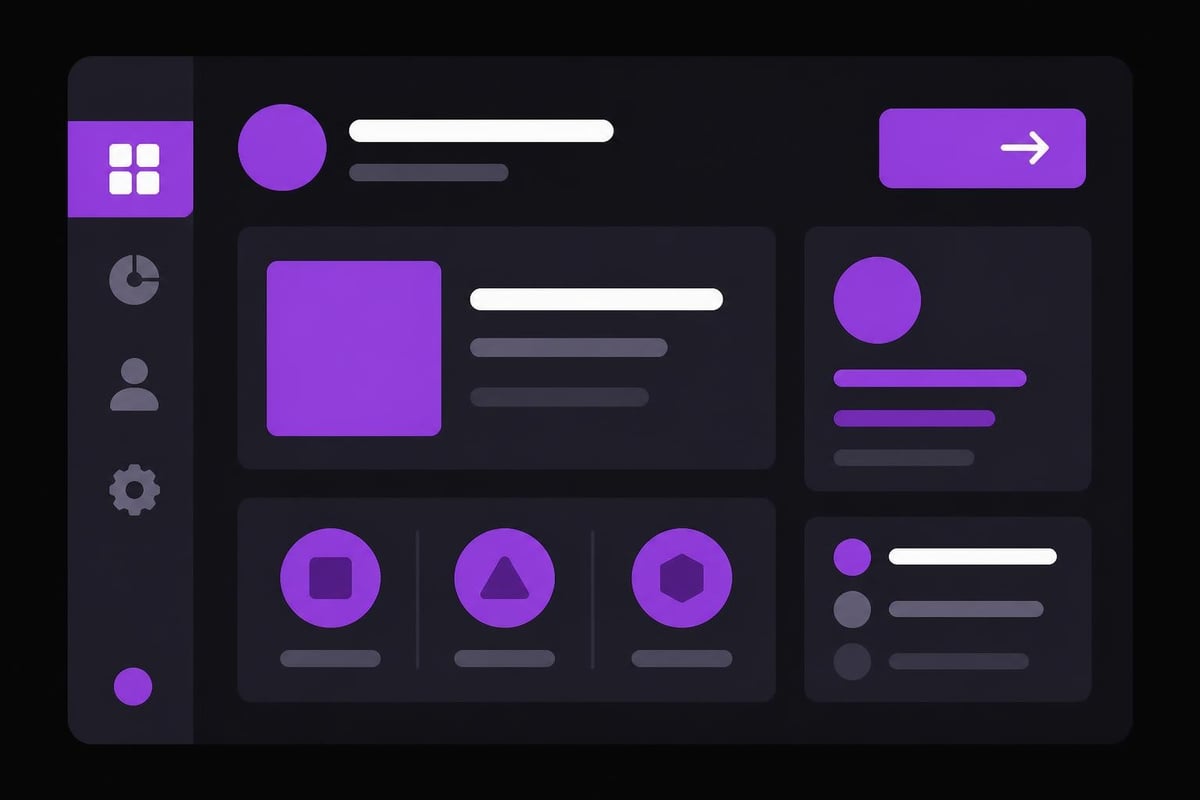
Users scan interfaces looking for relevant information and available actions. Visual hierarchy directs this scanning process through size, color contrast, positioning, and spacing. Primary actions appear as prominent buttons. Secondary options use less visual weight. Tertiary functions hide in menus.
Typography reinforces hierarchy through size and weight variations. Headings differentiate from body text. Labels distinguish from values. Critical information stands out through color or positioning. This hierarchy should remain consistent across the product so users develop reliable scanning patterns.
Color Systems and Accessibility
Color communicates meaning, directs attention, and reinforces brand identity. However, over-reliance on color alone excludes colorblind users and fails in high-glare environments. Effective color systems use contrast and additional indicators (icons, text labels, patterns) to convey information.
WCAG 2.1 guidelines specify minimum contrast ratios ensuring text remains readable for users with visual impairments. Meeting AA standards (4.5:1 for normal text) should be baseline, with AAA compliance (7:1) for products targeting healthcare, government, or aging populations.
| Element Type | AA Standard | AAA Standard | Common Failures |
|---|---|---|---|
| Normal Text | 4.5:1 | 7:1 | Light gray on white backgrounds |
| Large Text (18pt+) | 3:1 | 4.5:1 | Insufficient button contrast |
| UI Components | 3:1 | N/A | Disabled states too subtle |
| Graphics | 3:1 | N/A | Chart colors too similar |
When designing web interfaces, accessibility isn't just ethical - it's often legally required and always expands your addressable market.
Responsive and Adaptive Considerations
Users access products across devices with varying screen sizes, input methods, and contexts of use. Responsive design adapts layouts fluidly across breakpoints. Adaptive design serves optimized experiences for specific device categories.
Mobile-first methodology forces prioritization of essential features and content, preventing desktop designs from becoming cluttered mobile experiences. Touch targets need adequate size (minimum 44x44 pixels) with sufficient spacing to prevent accidental taps. Form inputs should trigger appropriate mobile keyboards.
For dashboards and complex applications, mobile UX often requires rethinking the entire interface rather than simply shrinking desktop layouts. Building mobile applications demands careful consideration of what functionality users genuinely need on smaller screens versus features better reserved for desktop contexts.
Prototyping and Iteration Cycles
Product UX design relies on iteration rather than perfection on the first attempt. Prototyping allows teams to test concepts quickly before committing engineering resources to full implementation.
Selecting Appropriate Fidelity Levels
Low-fidelity sketches and wireframes work well for exploring multiple concepts rapidly and gathering early feedback on structure and flow. Mid-fidelity prototypes add more detail to specific interactions without final visual polish. High-fidelity prototypes closely mimic the final product, useful for testing nuanced interactions or presenting to stakeholders.
The appropriate fidelity depends on what questions need answering. Testing whether users understand a navigation concept requires only low-fidelity wireframes. Validating that users can complete a complex multi-step workflow may need mid-fidelity clickable prototypes. Determining if microinteractions feel responsive enough requires high-fidelity prototypes or actual code.
Testing Prototypes with Real Users
Prototype testing reveals usability issues before engineering investment. Watching users attempt realistic tasks exposes confusion, frustration points, and opportunities for improvement that internal teams miss due to familiarity with the product.
Effective prototype testing involves:
- Recruiting participants matching target user profiles
- Defining specific tasks aligned with core user goals
- Observing without guiding or explaining functionality
- Recording both successes and struggles
- Asking follow-up questions to understand thought processes
Even informal testing with a few users provides valuable directional insights. Formal usability studies with structured protocols and larger sample sizes quantify severity and frequency of issues.
Incorporating Feedback into Design Iterations
Testing identifies problems, but designers must determine appropriate solutions. Sometimes the fix involves clearer labels. Other times it requires restructuring entire workflows. The key lies in understanding the root cause rather than treating symptoms.
Maintaining a prioritized backlog of UX improvements helps teams address the most critical issues first. Not every piece of feedback warrants immediate action - some represents edge cases, others reflect personal preferences rather than genuine usability problems.
Collaboration Between Design and Engineering
Product UX design succeeds or fails based on implementation quality. The most brilliant design concepts mean nothing if engineering teams struggle to build them or if technical constraints make them impossible.
Establishing Shared Understanding
Designers and engineers often speak different languages. Designers think in user flows and interactions. Engineers think in data models and API endpoints. Bridging this gap requires intentional communication and documentation.
Design systems create shared vocabulary through reusable components with documented behavior. Specifications detail interaction states, error handling, and edge cases. Collaborative tools allow comments and questions directly on designs. Regular design reviews keep engineers involved early in the process.
For teams building complex products like smart contracts or AI-powered features, technical constraints significantly impact UX possibilities. Designers who understand these constraints can work within them creatively rather than proposing impractical solutions.
Design Handoff and Implementation Quality
The transition from design files to working code introduces risks of miscommunication or misinterpretation. Comprehensive specifications reduce these risks by documenting spacing, typography, colors, interaction states, and responsive behavior explicitly.
Inspecting implemented features against designs catches deviations early. Small compromises accumulate into degraded experiences if left unchecked. Designers should participate in QA processes, verifying that the built product matches intended UX.
Many teams adopt component-driven development where engineers build reusable UI components that designers can configure rather than coding custom interfaces for every feature. This approach improves consistency while accelerating development cycles.
Measuring Post-Launch Performance
Launching features doesn't end the design process. Monitoring how real users interact with new functionality reveals whether design decisions achieved intended outcomes or if further iteration is needed.
Analytics integration tracking specific user actions provides quantitative validation. Support ticket volume and content indicate confusion or frustration points. User feedback through surveys or interviews adds qualitative context to quantitative patterns.
Understanding the modern UX design workflow includes post-launch monitoring and continuous improvement rather than treating design as a one-time activity preceding development.
Emerging Patterns in 2026
Product UX design continues evolving as new technologies emerge and user expectations shift. Teams that stay current with evolving patterns maintain competitive advantages while those clinging to outdated approaches risk losing relevance.
AI Integration and Intelligent Interfaces
Artificial intelligence enables personalized experiences that adapt to individual user preferences and behaviors. Recommendation systems surface relevant content without requiring explicit search. Predictive interfaces anticipate user needs before they articulate them. Intelligent automation handles routine tasks while keeping users in control of critical decisions.
However, AI-enabled products introduce unique UX challenges around transparency, control, and trust. Users need to understand why the system made specific recommendations. They require override mechanisms when AI predictions miss the mark. Following best practices for AI-enabled products ensures intelligent features enhance rather than confuse user experiences.
For companies integrating AI automation into products, the UX must balance automation benefits against user agency and understanding.
Minimal and Performance-Focused Design
Users increasingly value speed and simplicity over feature density. Minimal UX philosophy removes unnecessary elements, streamlines workflows, and optimizes performance for fast loading and responsive interactions.
This approach proves particularly effective during high-traffic periods when system resources face strain and user patience runs thin. Products that eliminate bloat and focus on core user goals consistently outperform feature-rich competitors that overwhelm users with options.
Performance optimization directly impacts UX through perceived speed. Skeleton screens, optimistic UI updates, and progressive loading all contribute to experiences that feel fast even when processing complex operations.
Accessibility as Standard Practice
Accessibility has shifted from optional consideration to baseline requirement. Products excluding users with disabilities face legal risks, reputational damage, and missed market opportunities. More importantly, accessible design benefits everyone through clearer information hierarchy, better keyboard navigation, and thoughtful interaction design.
Implementing accessibility from the start costs far less than retrofitting inaccessible products. Modern frameworks include accessibility features by default. Screen reader testing should be part of standard QA processes. Keyboard navigation testing ensures users can accomplish tasks without mice.
Following core UX best practices inherently improves accessibility by emphasizing clarity, consistency, and user control.
Specialized UX Considerations by Product Type
Different product categories face unique UX challenges requiring specialized approaches. While core principles remain consistent, successful implementation varies significantly between contexts.
E-commerce and Conversion-Focused Products
E-commerce product pages serve dual purposes: providing information and driving purchase decisions. E-commerce product page UX requires balancing comprehensive product details with streamlined purchasing flows.
High-quality product imagery, detailed specifications, social proof through reviews, and transparent pricing all contribute to conversion rates. Cart and checkout flows must minimize friction through guest checkout options, address autocomplete, and clear progress indicators.
For teams building Shopify stores or custom e-commerce platforms, every additional form field or required step measurably impacts conversion rates.
Dashboard and Analytics Interfaces
Dashboards present complex data in actionable formats. Effective dashboard UX prioritizes the most critical metrics, provides context for interpretation, and enables drill-down into details without cluttering the overview.
Customization capabilities let users configure views matching their specific needs while sensible defaults work immediately for new users. Real-time updates keep information current without distracting animations or disruptive refreshes.
Financial and Compliance-Heavy Products
Financial products balance regulatory requirements with user experience. Compliance by design integrates necessary verification and documentation into flows that feel as frictionless as possible.
Users tolerate additional steps when they understand the security benefits. Clear communication about why information is needed and how it protects users builds trust. Progress indicators help users understand how much remains in lengthy onboarding processes.
When building payment rails or financial platforms, security and compliance requirements constrain UX possibilities but shouldn't eliminate usability as a priority.
Product UX design transforms technical capabilities into products users genuinely want to engage with repeatedly. By grounding decisions in research, following proven principles, and iterating based on real user feedback, teams create experiences that drive business outcomes while delighting users. Whether you're building complex dashboards, financial platforms, or consumer applications, investing in thoughtful UX design delivers measurable returns through improved conversion, retention, and user satisfaction. Absolute Foundry specializes in end-to-end product engineering that integrates strategic UX design with technical implementation, helping clients worldwide build products that users love while you focus on market growth.